MSP Planner for Jira Deterministic portfolio scheduling

Professional project scheduling for Jira

Critical path, baselines, resource capacity, and lossless MS Project round-trip. Execution stays agile — but the commitments your PMO, steering committee, and customers depend on are formal and predictable.
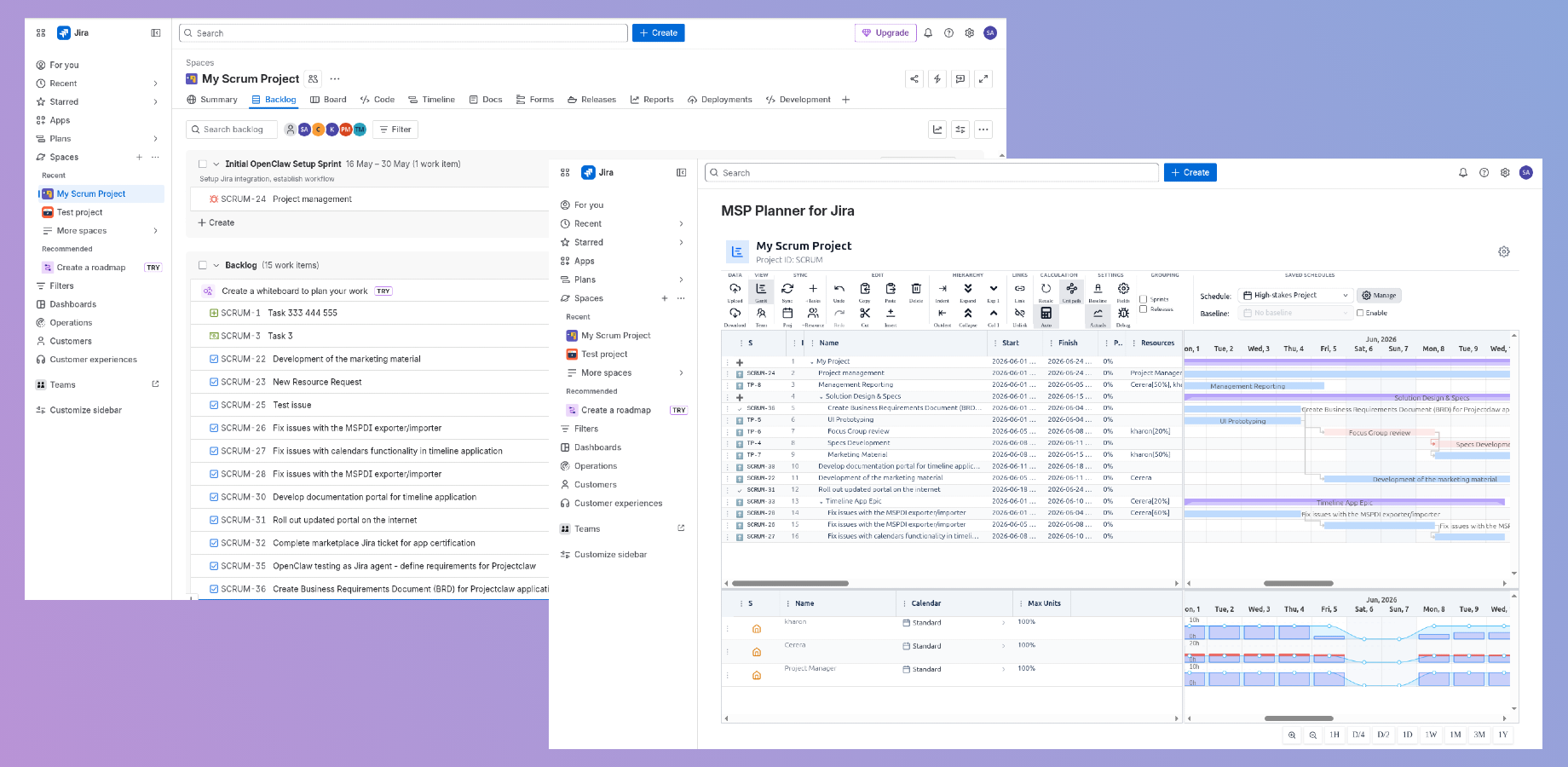
Critical Path
Deadline-aware
MS Project
Lossless round-trip
Forge Cloud
Data stays in Atlassian
MSP Planner for Jira · My Scrum Project
MSP Planner for Jira running inside Jira Cloud
Critical path
Drives the finish date
Built on the Atlassian platform
Atlassian MarketplaceRuns on ForgeJira CloudMS Project round-trip

Jira is the gold standard for agile issue tracking. But for high-stakes delivery, "simple task lists" aren't enough. Professional organizations require formal schedules—complete with complex dependencies, milestones, baselines, and resource-capacity checks—to ensure a project can actually be delivered on time.

NOT JUST ANOTHER GANTT CHART

MSP Planner for Jira is a professional planning layer that transforms your Jira data into a structured project model — letting you keep the agility of your team while providing the predictability your stakeholders demand.

THE BRAIN

Professional-Grade Scheduling

Stop using "visual aids" and start using a professional scheduling engine.

Most Jira Gantt tools are simply visual representations of dates. MSP Planner implements a professional planning model aligned with industry standards (MS Project), giving you total control over how your project behaves.
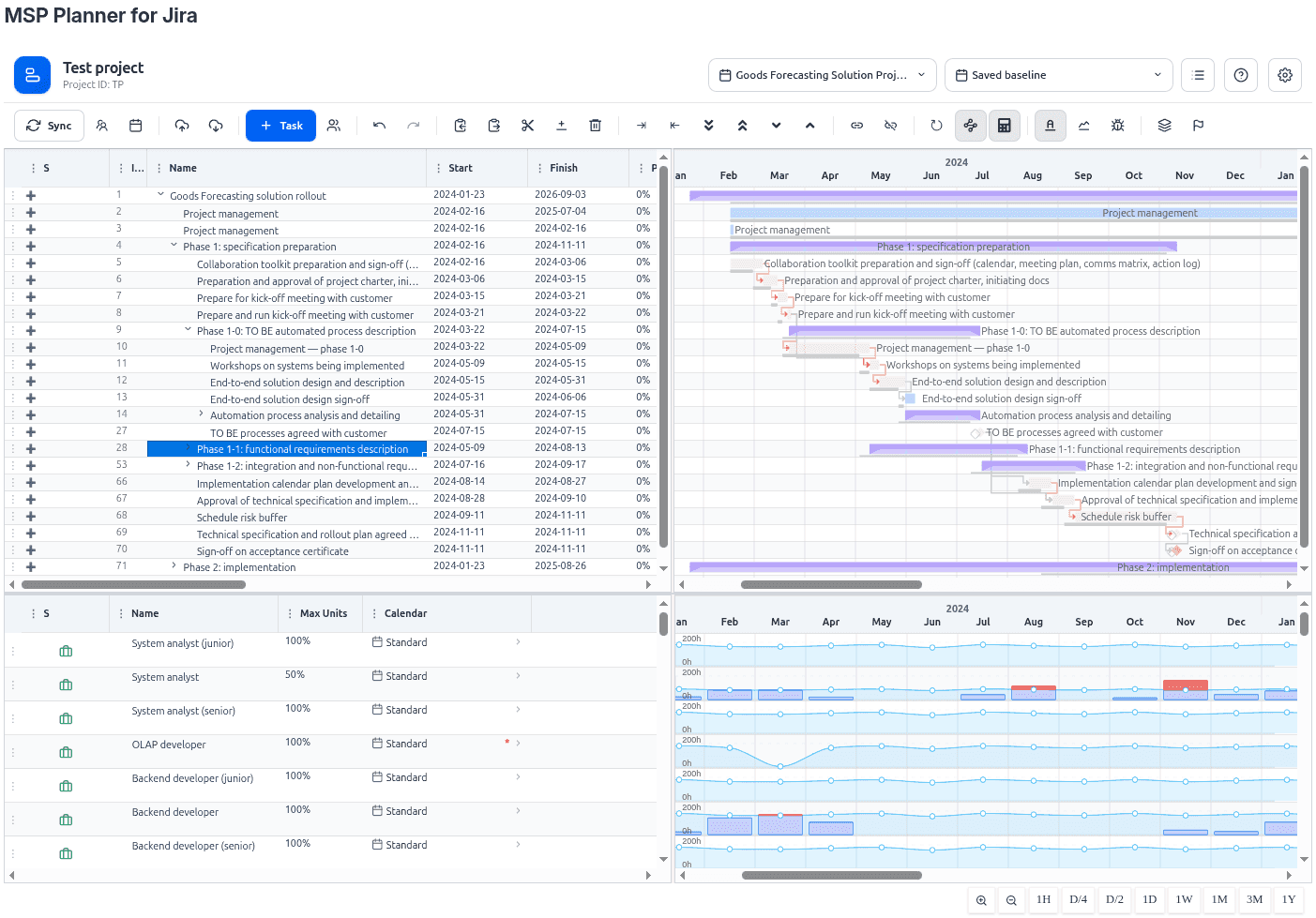
Predictable Timing Control: Support for professional scheduling modes—Fixed Duration, Fixed Work, and Fixed Units. Control exactly how effort and timing interact when you add or remove resources.
Deadline-Aware Critical Path: Automatically identify the chain of tasks that drives your project finish date. Stop guessing which delays are critical and which are negligible.
Baseline & Comparative Overlays: Protect your commitments. Set a baseline at the start of the project and use comparative overlays to visualize exactly where and why your schedule is drifting.
Complex Hierarchy & Dependencies: Manage deep task nesting and complex dependency links (FS, SS, FF, SF) to model real-world project logic.
Critical Path · Gantt
MSP Planner schedule with deadline-aware critical path
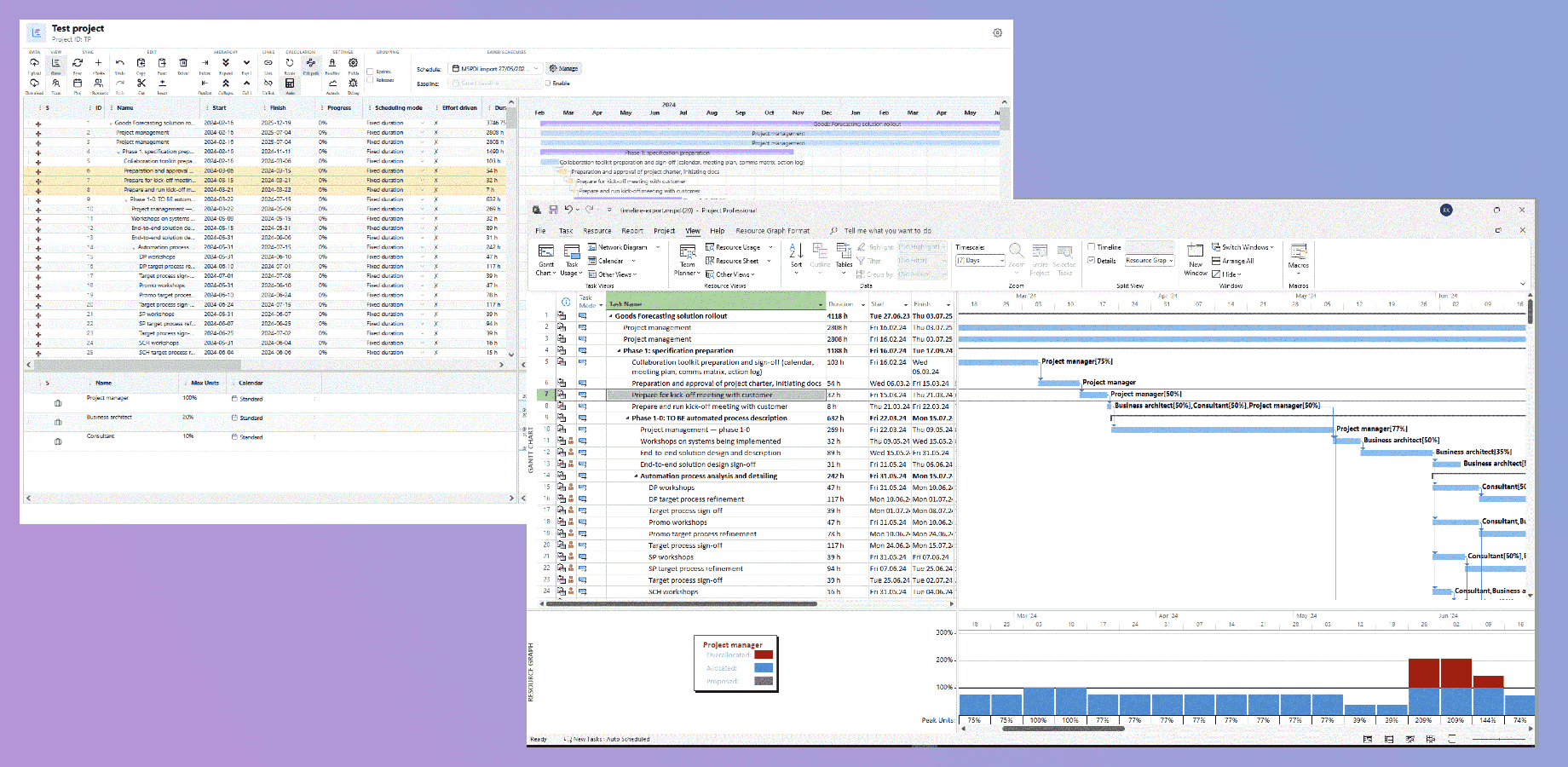
MS Project ⇄ Jira · Round-trip
Lossless round-trip between MSP Planner and Microsoft Project
LOSSLESS INTEROPERABILITY

The MS Project Bridge

Live in two worlds. Sync your agile execution with formal reporting.

You no longer have to choose between the power of MS Project and the collaboration of Jira. MSP Planner enables a seamless, lossless exchange of data.

True Round-Trip Planning: Go beyond simple file conversion. Export your Jira-based schedules for external review in MS Project and import them back without losing your structure.
Identity Preservation: Using advanced identity markers, the app ensures that links to live Jira issues and users remain intact. You can edit a schedule in MS Project and re-import it—the app knows exactly which Jira issue corresponds to which row.
Hybrid Schedules: Maintain a mix of Jira-linked tasks (for the team) and "schedule-only" milestones or external dependencies (for the PMO), all in one view.
THE REALITY

Real-World Resource Intelligence

Stop treating your team as generic resources. Plan against actual availability.

Schedules fail when they assume every person is available 40 hours a week, every week. MSP Planner uses a multi-tier calendar model to reflect the reality of your organization.
Multi-Tier Calendar Awareness: Account for project-level working time, resource-specific hours, national holidays, and personal availability.
System vs. Project Resource Pools: Manage "Corporate" resources (linked to your organization's directory) and "Project" resources (local to the schedule) with distinct governance.
Actuals from Jira Worklogs: Connect your plan to real execution. The system aggregates posted Jira worklogs to show Actual Work alongside planned assignments, providing a factual basis for schedule reviews.
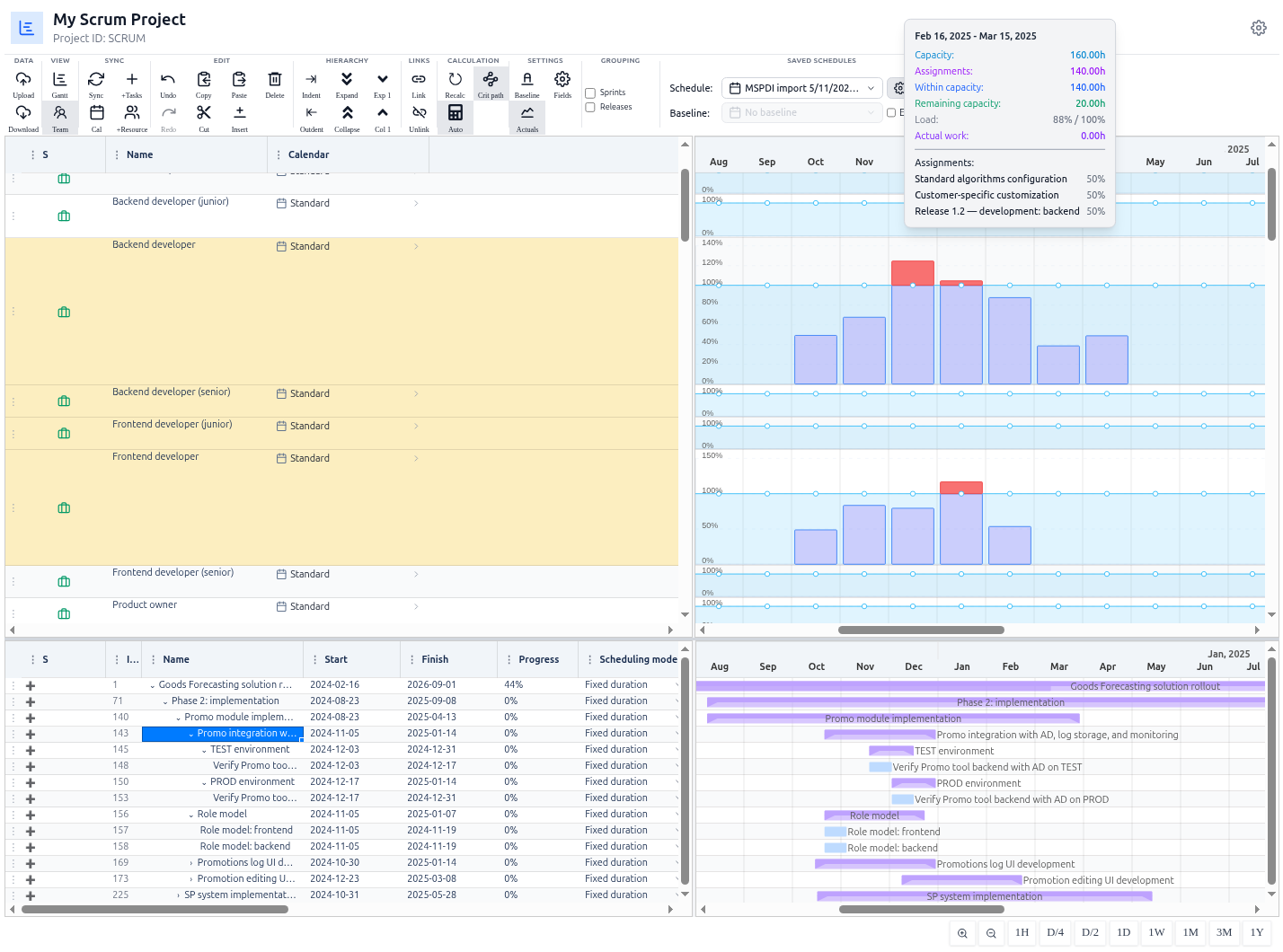
Over-allocation Detection: Use resource histograms to detect bottlenecks and over-allocation before they become project failures.
Resource histogram · Over-allocation
Resource histograms detecting over-allocation against capacity
Saved Schedules · Portfolio
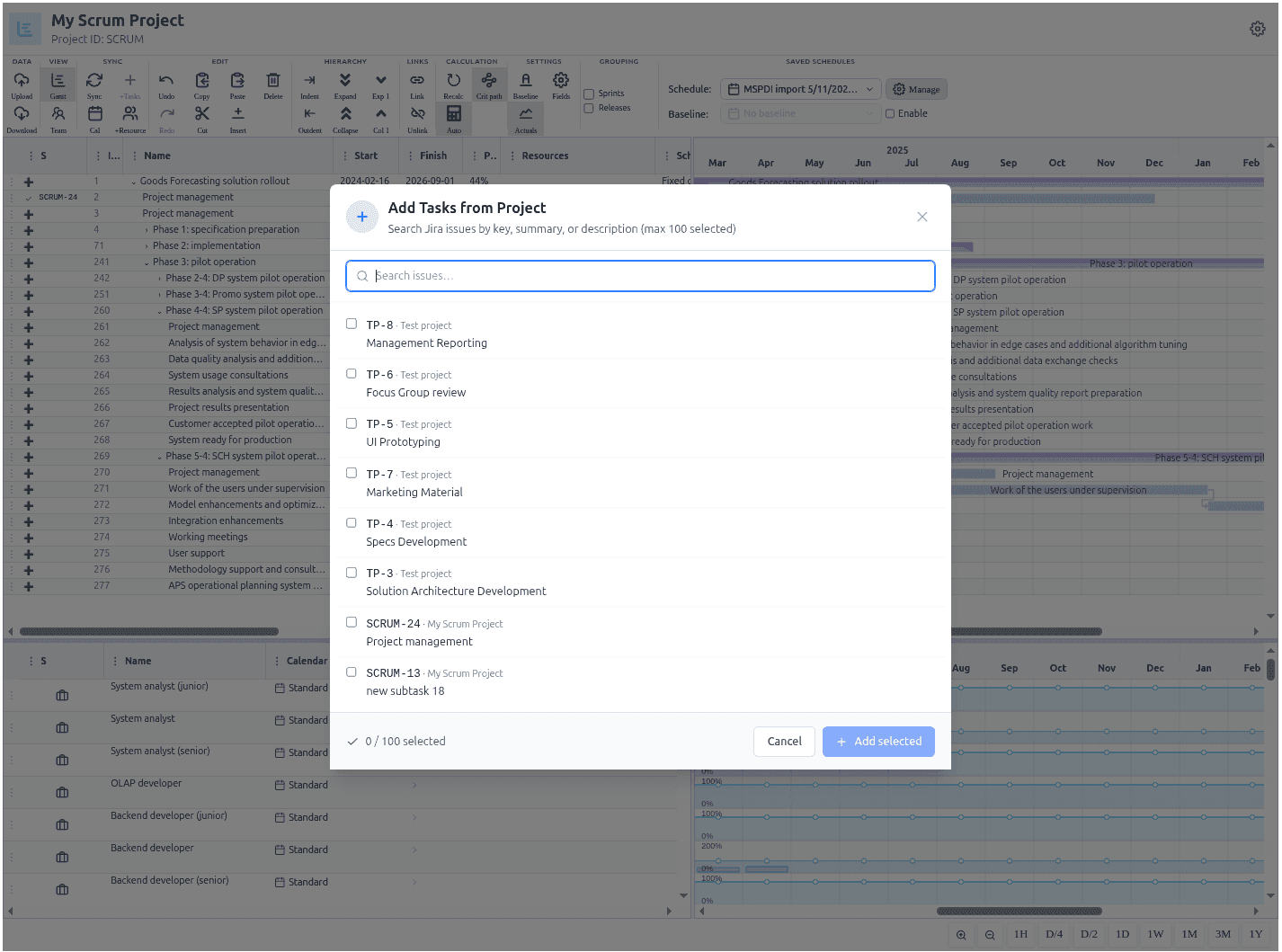
Portfolio-scale saved schedules and adding tasks from a Jira project
GOVERNANCE & DATA INTEGRITY

Enterprise Governance & Data Integrity

Professional tools for professional teams.

When you are reporting to a steering committee, "roughly correct" is not enough. MSP Planner is built for reliability and scale.

Controlled, Review-Oriented Sync: Your Jira board is the operational source of truth. Synchronization is explicit—use "Push" and "Pull" flows to reconcile data and prevent silent overwrites.
Absolute Data Integrity: Sync boundaries are driven by server-originated timestamps, ensuring that "who changed what and when" is always accurate, regardless of the user's browser clock.
Portfolio-Scale Management: Manage multiple schedules across different projects. Use ownership and sharing controls (Read | Write) to ensure accountability across your delivery team.
Forge Cloud Security: Built on Atlassian's Fortified Forge platform, ensuring your planning data never leaves the protected environment.
Your data is safe.
MSP Planner stores all data in Atlassian's Fortified Forge Cloud — your project data remains within the protected environment, ensuring enterprise-grade security and compliance.
See our security
READY TO SEE IT IN ACTION?

Stop the guesswork. Start professional planning.

Install from the Atlassian Marketplace, try it free, and see pricing and reviews.

FAQ

Frequently asked questions

What is MSP Planner for Jira?
MSP Planner for Jira is a professional, MS Project-grade project scheduling app for Jira Cloud. It adds a real scheduling engine on top of your Jira issues — critical path, baselines, scheduling modes, resource capacity, and lossless Microsoft Project round-trip — so execution stays agile while your commitments stay formal and predictable.
Is MSP Planner just another Gantt chart for Jira?
No. Most Jira Gantt tools simply draw bars on a timeline from existing dates. MSP Planner runs a deterministic scheduling engine underneath: typed dependencies, lead/lag, float, deadline constraints, and scheduling modes. Crucially, it provides a protected 'Planning Space' with an explicit push/pull sync model, ensuring that your planning experiments don't accidentally disrupt your team's daily work in Jira.
Does MSP Planner calculate the critical path?
Yes. A real Critical Path Method (CPM) engine identifies the chain of zero-float tasks that drives your finish date and recalculates all downstream dates in real time when you move a task or change a dependency, which also makes what-if scenario testing possible.
Can I round-trip schedules with Microsoft Project?
Yes. You can export a Jira schedule to Microsoft Project (.mpp) and import it back without breaking task links or losing data, so formal plans and agile execution stay in sync without copying data outside Atlassian.
Can I manually set dates regardless of dependencies?
Yes. In addition to Auto-scheduling, MSP Planner supports Manual Scheduling. You can toggle individual tasks to 'Manual' mode to precisely place bars on the timeline, bypassing the engine's logic for high-level roadmapping or fixed-date commitments.
How do I track project slippage against my original plan?
MSP Planner uses a Comparative Overlay system. You can capture a formal Baseline snapshot of your schedule and then overlay it as 'Ghost Bars' beneath your live tasks. This allows you to mathematically track Variance (Drift) in real-time, identifying exactly where the project is slipping before it impacts your deadline.
How does it handle actual work recorded in Jira?
MSP Planner automatically aggregates posted Jira worklogs to show 'Actual Work' directly in the resource view. This allows you to visualize the 'Reality Gap' between your planned effort and actual execution in real time.
What if my Jira instance uses custom fields for dates or effort?
MSP Planner features flexible field mapping. You can map the timeline's built-in semantics (like Finish Date or Work) to any custom field in your Jira project, ensuring the tool fits your existing configuration without requiring schema changes.
Can I share my schedules with stakeholders?
Yes. MSP Planner includes a professional Ownership and Sharing model. You can designate a schedule owner and grant specific Read or Write access to other users. This ensures your master plan is protected from accidental edits while remaining fully transparent to stakeholders and executives.
Where is my data stored and is it secure?
MSP Planner is built on Atlassian Forge. Your scheduling data stays inside the Atlassian cloud — there is no external server holding your project data — so it inherits Atlassian's data residency and security model.
