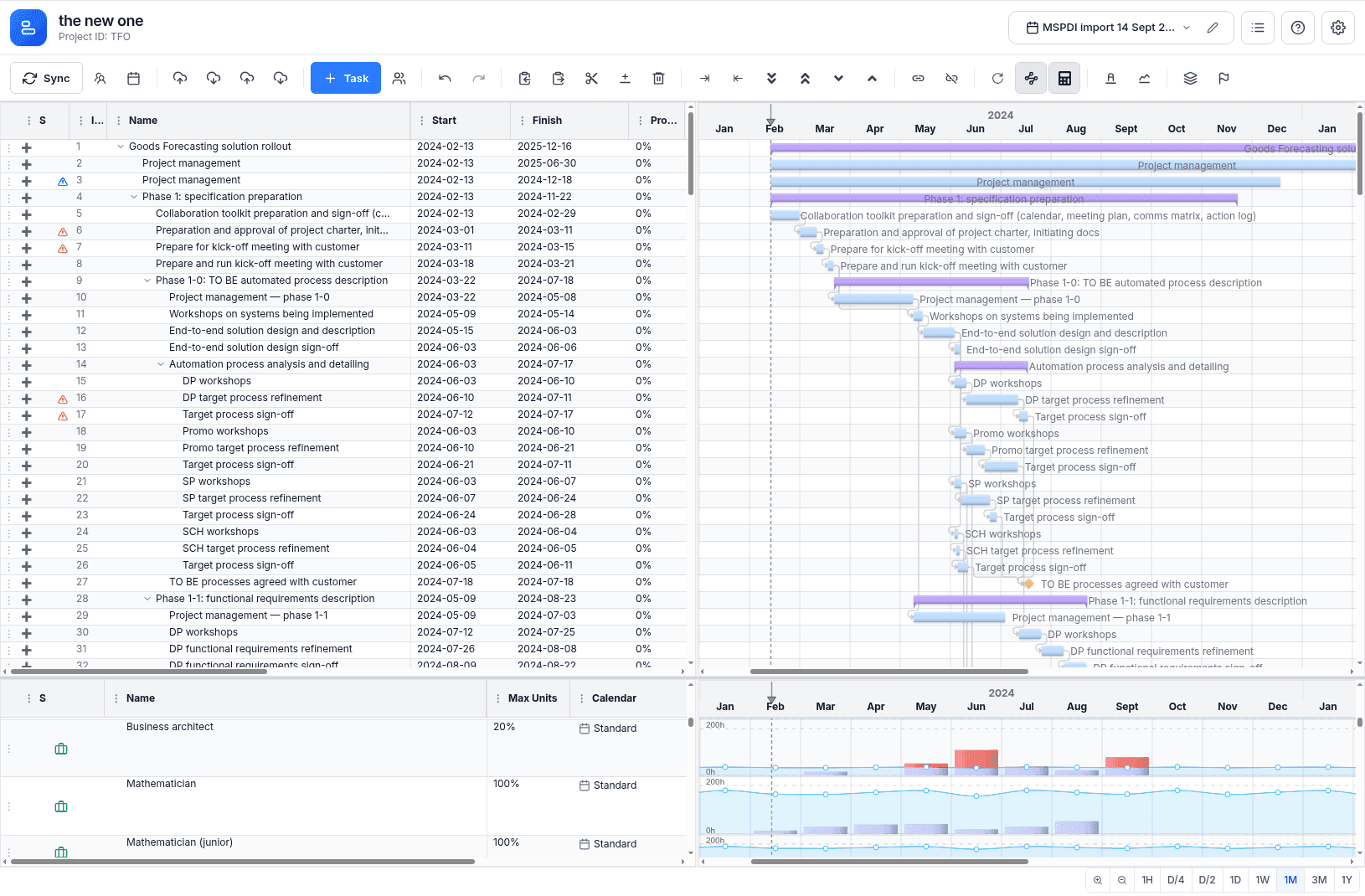
Welcome to MSP Planner for Jira
The Core Philosophy: Execution vs. Commitment
In most modern organizations, there is a fundamental tension in how work is managed:
- The Team lives in Jira. They care about sprints, tickets, and daily execution.
- The Stakeholders (PMOs, Steering Committees, Clients) live in formal schedules. They care about milestones, critical paths, and hard deadlines.
MSP Planner for Jira is the translation layer. It allows you to keep your team's agility in Jira while providing the professional planning rigor required for high-stakes project commitments.
What is MSP Planner?
MSP Planner is not just a Gantt chart plugin; it is a Professional Planning Workspace. It transforms your Jira issues into a structured project model that supports the same logic as industry-standard tools like Microsoft Project, but keeps Jira as the operational source of truth.
Professional Governance Pillars
MSP Planner is built on five strategic pillars that transform Jira from a task tracker into a professional project governance platform:
- Deterministic Planning: Go beyond simple date bars. Use a real scheduling engine with Critical Path Method (CPM), professional scheduling modes (Fixed Work/Duration/Units), and Manual Scheduling for flexible, high-level roadmapping.
- Execution Intelligence: Close the "Reality Gap." Automatically aggregate posted Jira worklogs to track Actual Work and use Comparative Overlays (Ghost Bars) to visualize Variance and Drift against your baselines in real-time.
- Enterprise Governance: Maintain a single source of truth with a professional Ownership and Sharing model. Control access with granular
Read/Writepermissions and adapt to any Jira configuration via Flexible Field Mapping. - Lossless Interoperability: Bridge the gap between agile execution and formal reporting. Export your plan to MSPDI XML for external review in Microsoft Project and re-import changes without breaking the connection to your live Jira issues.
- Protected Synchronization: Eliminate "planning noise." Use an explicit Push/Pull sync boundary to vet and approve your schedule before committing changes to the team's Jira tickets.
How to get started
Depending on your role and experience, we recommend the following paths:
🚀 I'm new to MSP Planner
Start with the Quick Start Guide. In 5 minutes, you'll have your first schedule built and linked to Jira.
🛠️ I want to master the interface
If you're already a planner and want to learn the "power moves" of the workspace, head to the Interface Guide. Learn about the split-pane intelligence and high-efficiency keyboard shortcuts.
🎓 I'm a Professional Project Manager
Dive straight into the advanced scheduling logic:
🏛️ I'm a PMO Lead / Governance Officer
Focus on the strategic oversight and reporting tools:
The Governance Cycle
- Model: Create a schedule, link it to your Jira project, and map your custom fields.
- Plan: Define dependencies and use Auto or Manual modes to identify your Critical Path.
- Track: Monitor the "Reality Gap" by comparing planned effort against Automated Actuals.
- Govern: Analyze Variance (Drift) against baselines and share the view with stakeholders.
- Synchronize: Push approved commitments back to Jira for the team to execute.