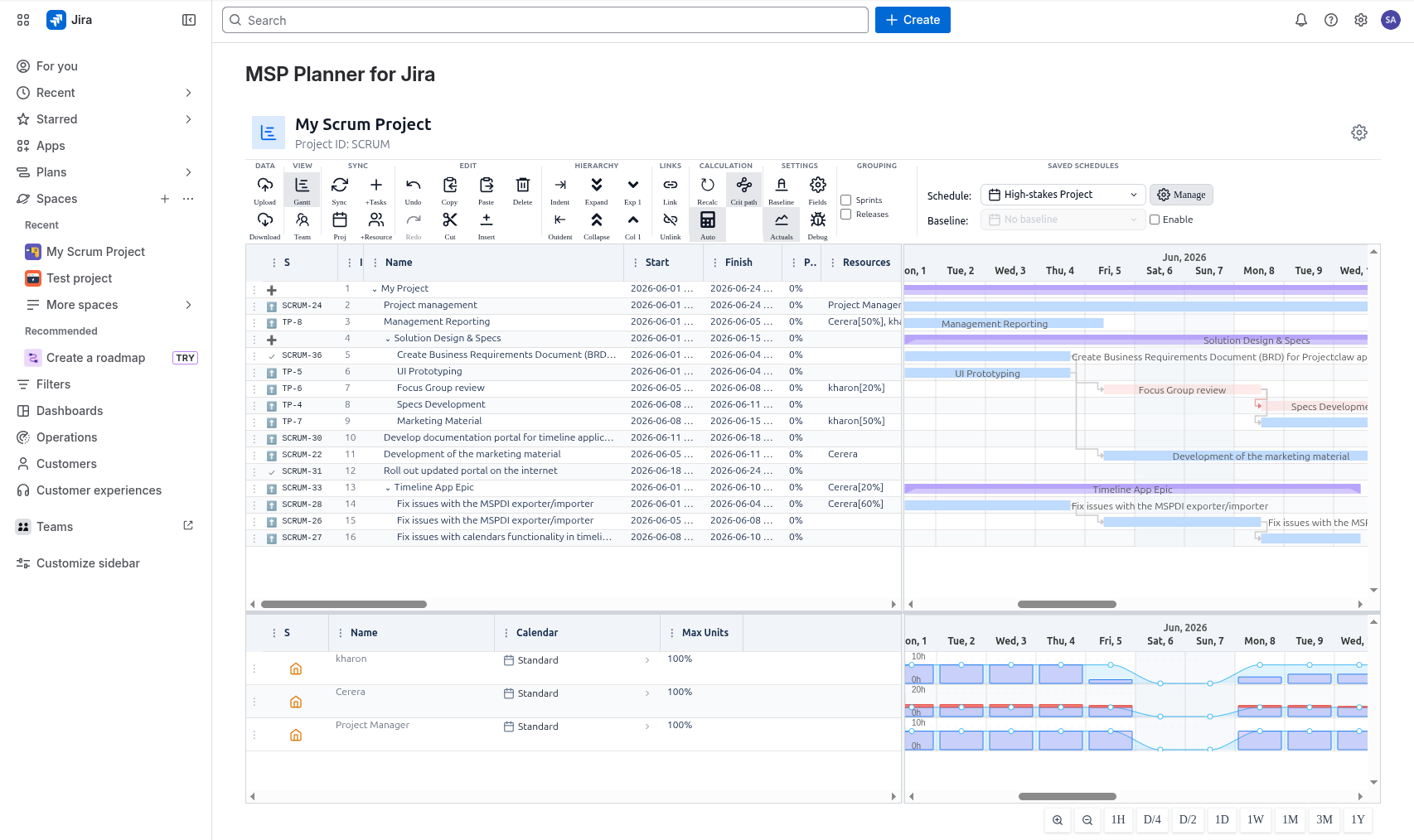
Welcome to MSP Planner for Jira
The Core Philosophy: Execution vs. Commitment
In most modern organizations, there is a fundamental tension in how work is managed:
- The Team lives in Jira. They care about sprints, tickets, and daily execution.
- The Stakeholders (PMOs, Steering Committees, Clients) live in formal schedules. They care about milestones, critical paths, and hard deadlines.
MSP Planner for Jira is the translation layer. It allows you to keep your team's agility in Jira while providing the professional planning rigor required for high-stakes project commitments.
What is MSP Planner?
MSP Planner is not just a Gantt chart plugin; it is a Professional Planning Workspace. It transforms your Jira issues into a structured project model that supports the same logic as industry-standard tools like Microsoft Project, but keeps Jira as the operational source of truth.
Key Capabilities at a Glance
- Professional Scheduling: Go beyond simple date bars. Use critical path analysis, baselines, and professional scheduling modes (Fixed Work/Duration/Units).
- MS Project Interoperability: Export your plan for external review and re-import changes without losing the connection to your live Jira issues.
- Real-World Capacity: Plan against actual calendars, holidays, and resource availability to ensure your schedule is realistic, not optimistic.
- Controlled Synchronization: Use explicit "Push" and "Pull" flows to reconcile your plan with Jira without risking silent overwrites of your team's work.
How to get started
Depending on your experience level, we recommend the following paths:
🚀 I'm new to MSP Planner
Start with the Quick Start Guide. In 5 minutes, you'll have your first schedule built and linked to Jira.
🛠️ I want to master the interface
If you're already a planner and want to learn the "power moves" of the workspace, head to the Interface Guide. Learn about the split-pane intelligence and high-efficiency keyboard shortcuts.
🎓 I'm a Professional Project Manager
Dive straight into the advanced logic:
The Big Picture Workflow
- Model: Create a schedule and link it to your Jira project.
- Plan: Define dependencies, set resources, and calculate your critical path.
- Verify: Check for over-allocation and drift against your baseline.
- Communicate: Export to MS Project for stakeholder approval.
- Synchronize: Push approved dates back to Jira for the team to execute.